Live video and photo capture for support, inspections and claims.
Blitzz gives your team two ways to see the job. Live video through a customer's phone camera from one link, and a photo app that saves every jobsite photo to the right job. Built-in AI writes the notes and the report.
Products
Our products
Two video products and one photo app. Start with the one that fits your work.
Inspect
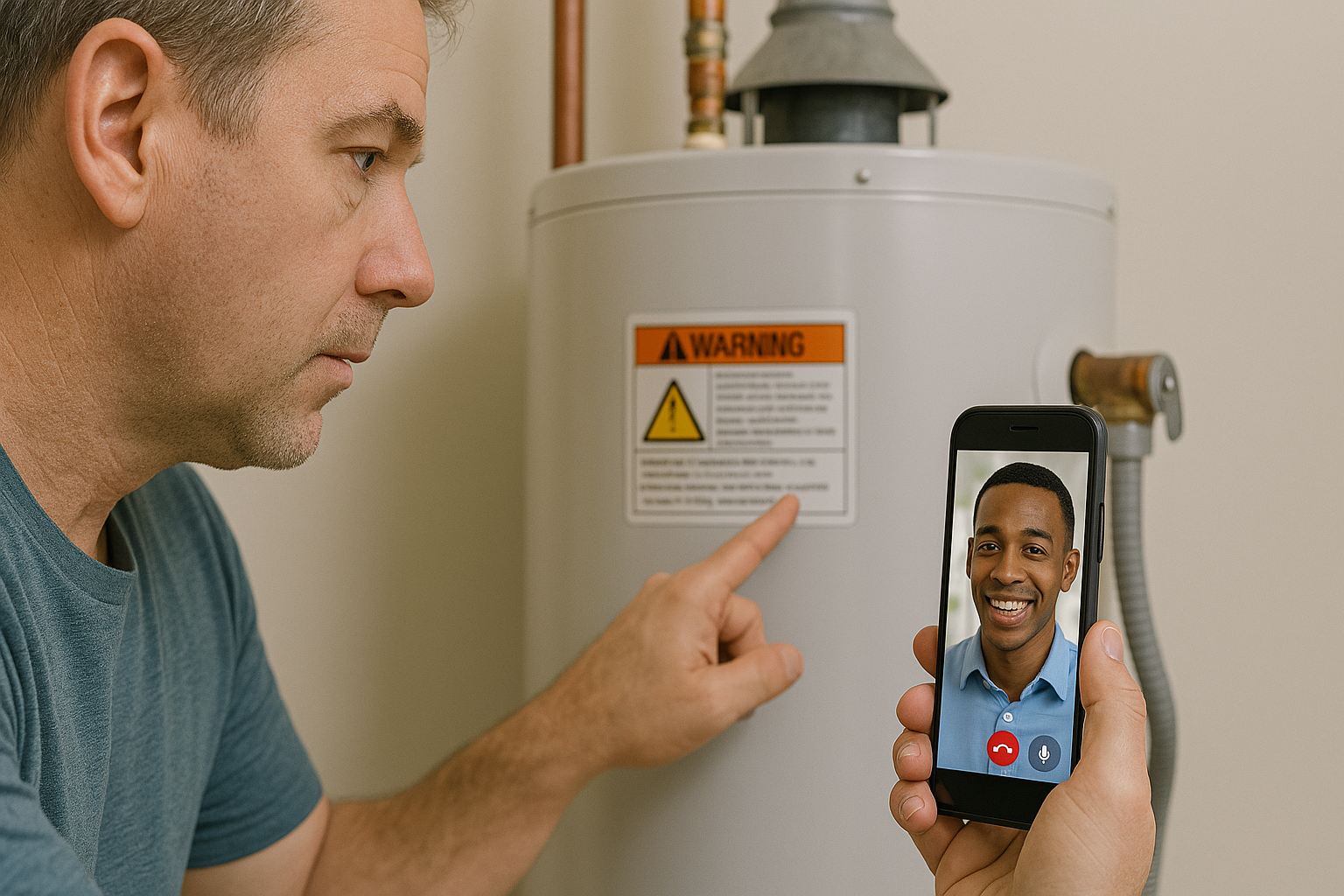
Do inspections over video. The homeowner or contractor shows you the site on their phone, and you get a report when you hang up.
- Insurance claims and warranty
- Building and permit inspections
- Photos and notes in one report

Concierge
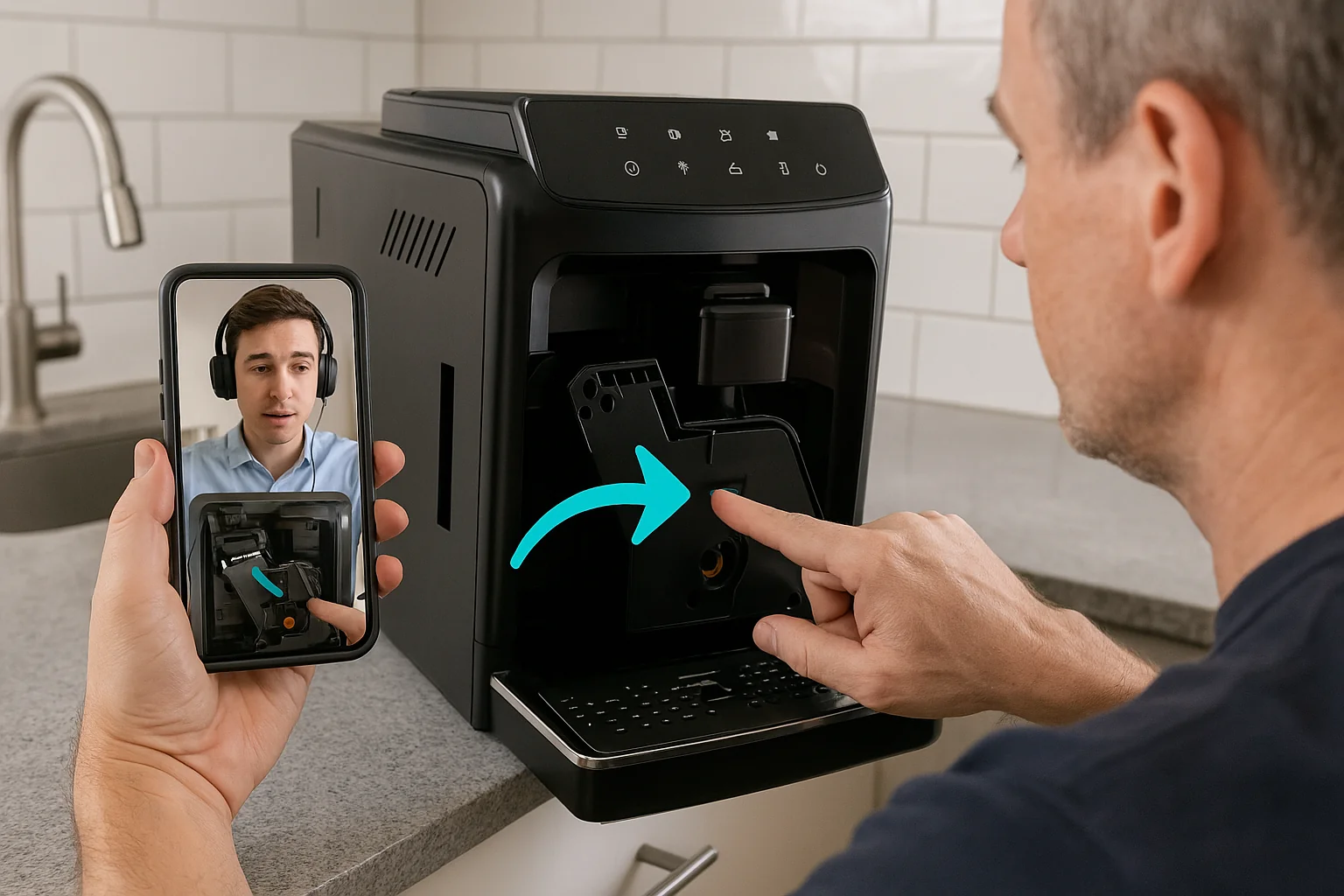
See what your customer sees through their phone camera and walk them through the fix. No app for them to download.
- Contact centers and help desks
- Support for field technicians
- Screen share and co-browse included
BlitzzCam
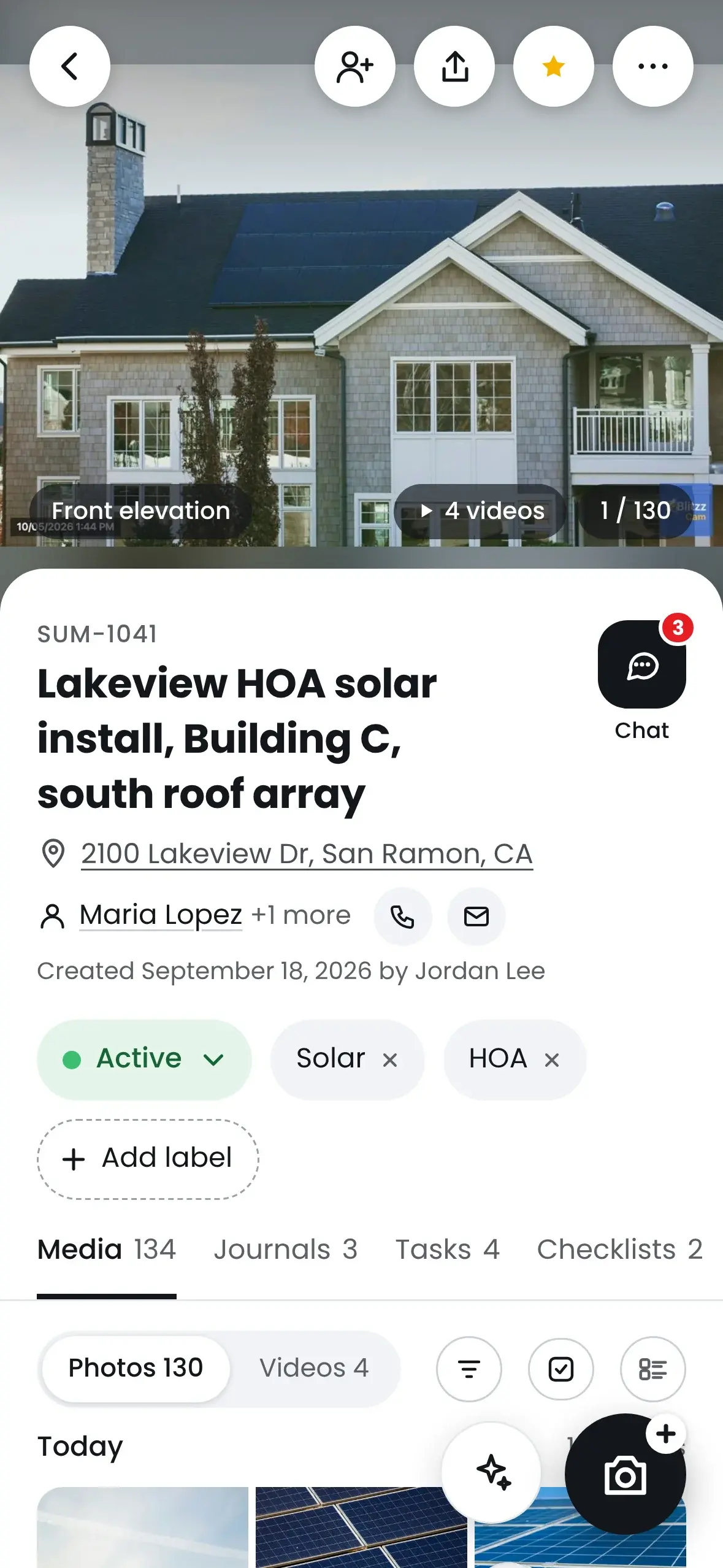
A photo app for your crew. Every photo gets a time and location stamp and is saved to the right job.
- Before and after photos
- Damage photos for claims
- Reports and checklists
Industries and use cases
Built for the work you do
Teams in insurance, government, field service and construction use Blitzz to see the job without being there.
Insurance claims
Walk through damage with the policyholder on live video and close the claim without a site visit.
Learn more → VideoBuilding and permit inspections
Run remote inspections for permits and code checks. The report is ready when you hang up.
Learn more → VideoContact centers
See the customer's product through their camera and solve the call on the first try.
Learn more → VideoField service and equipment
Put a remote expert next to every technician and cut repeat truck rolls.
Learn more → VideoManufacturing and heavy equipment
Inspect machines, audit suppliers and troubleshoot equipment from anywhere.
Learn more → PhotoRoofing and restoration
Document damage, materials and finished work with GPS-stamped photos on every job.
Learn more → PhotoConstruction progress
Keep a photo timeline of every job so the office and the client always see the latest.
Learn more → PhotoClaims photo documentation
Give adjusters organized before and after photos instead of a camera roll.
Learn more →How it works
How each product works
Send a link
Text or email a link to the homeowner, contractor or claimant. The camera opens in their browser.
Inspect live
Walk the site together. Zoom in, mark up the video and take photos as you go.
Get the inspection report
When you hang up, the inspection report is created with the photos and notes from the call.
Send a link
Text, email or WhatsApp. The customer taps it and the camera opens in their browser.
See and solve
See the problem, point to what matters and walk them through the fix.
Notes go to your CRM
The call summary and photos are saved to the ticket when the call ends.
Open the job
Your crew picks the job in the BlitzzCam app on their phone.
Take photos
Each photo gets a time and location stamp and is saved to that job.
Share it
Build a report or share the job with the office, the customer or the adjuster.
Video or photo?
Choose by who is on site
| Video (Concierge, Inspect) | Photo (BlitzzCam) | |
|---|---|---|
| Who holds the phone | Your customer, policyholder or contractor | Your own field crew |
| Who sees it | Your agent or inspector, live | The office, customer or adjuster, any time |
| App needed | No. Joins from a link in the browser | Yes. BlitzzCam mobile app |
| Best for | Support calls, remote inspections, claims walkthroughs | Job documentation, progress photos, damage photos |
| What you get | Session summary, photos and report in your CRM | Organized job photos, tags, reports and checklists |
Owlbert AI
AI that does the paperwork
- Session summaries. Notes written for you after every call.
- Agent assist. Reads serial numbers and recognizes equipment on camera.
- Answers from your manuals. Suggests the next step from your knowledge base.
- Photo tagging. Jobsite photos sorted and searchable.
Integrations
Works inside the tools you use
Encryption in transit and at rest, guest consent before every session, and SAML single sign-on. Security details →
FAQ
Common questions
Short answers about Blitzz video, photo capture, pricing, AI and security.
Still have a question? Contact us →
About Blitzz
What is Blitzz?
Blitzz is visual AI software for support, inspection and field teams. It does two things. Live video lets an agent or inspector see through a customer's or crew's phone camera from one link, with no app to download. Photo capture gives field crews a mobile app that saves every jobsite photo to the right job. Owlbert AI writes the notes and the report.
What is the difference between Blitzz video and photo capture?
Use video when someone needs to see the problem live and talk the other person through it, like a support call, a remote inspection or a claim walkthrough. Use photo capture when your own crew needs to document the work on site, like before and after photos, progress photos or damage photos. Many teams use both.
Which Blitzz product do I need?
Concierge for live video support. Inspect for remote video inspections and claims. BlitzzCam for jobsite photo documentation. If you are not sure, book a demo and we will point you to the right fit.
Where are Co-Browse and ScreenShare?
Co-browse and screen share are part of Concierge live support, so they no longer appear as separate products here. You can still use them. See the Co-Browse and ScreenShare pages for details.
Video
What is a remote video inspection?
A remote video inspection is an inspection done over live video instead of an on-site visit. The inspector sends a link, the homeowner, contractor or technician shows the site on their phone, and Blitzz Inspect captures photos and builds the report.
Can I use Blitzz for insurance claims?
Yes. Adjusters use Blitzz Inspect to walk through damage with the policyholder over live video, capture photos during the call and get a report when they hang up. Field adjusters and contractors can document losses on site with BlitzzCam.
Do customers need to download an app?
No. For video sessions, customers join from a link in their phone's browser. BlitzzCam is different: your field crews use the BlitzzCam mobile app to take and organize photos.
How do I send a video session link?
Send it by text, email or WhatsApp from the Blitzz Agent Portal or from inside your CRM. The customer taps the link and the camera opens in their browser.
How many people can join a video session?
Video sessions support 4 participants by default. Larger sessions of up to 50 participants are available on request.
Can video sessions be recorded?
Yes, when the recording feature is turned on for your account. Recordings are available for playback after the session.
Photo capture
What is jobsite photo documentation?
Jobsite photo documentation is the practice of capturing photos of every job, from first visit to final walkthrough, so you have proof of the work. BlitzzCam saves each photo to the right job with a time and GPS stamp, so anyone on the team can find it later.
Who is BlitzzCam for?
Roofers, contractors, restoration companies, construction crews and other field teams that need to document jobs with photos and share them with customers, adjusters or the office.
Does BlitzzCam work with my other tools?
BlitzzCam connects with Procore and Jobber, with more integrations in beta. See the BlitzzCam page for the current list.
Pricing, AI and security
How much does Blitzz cost?
Each product has its own plans. See Inspect pricing, Concierge pricing and BlitzzCam pricing. For larger teams, talk to us about an enterprise plan.
Is there a free trial?
Yes. Every Blitzz product comes with a 14-day free trial.
What is Owlbert AI?
Owlbert AI is the AI built into Blitzz. It recognizes equipment, reads serial numbers, suggests next steps from your knowledge base, writes session summaries and tags jobsite photos.
Is Blitzz secure?
Blitzz encrypts data in transit and at rest, asks every guest for consent before a session starts, and supports SAML single sign-on. See the security page for details.
Which tools does Blitzz integrate with?
Blitzz integrates with Salesforce, ServiceNow, Zendesk, Genesys Cloud CX, Microsoft Dynamics 365, NICE CXone and HubSpot, plus Zapier and a REST API. BlitzzCam connects with Procore and Jobber.
See Blitzz on your use case
Book a demo or start a 14-day free trial.
Trusted by support, field and inspection teams at enterprises, cities and public agencies